ARMATURA's portfolio is best understood as an integrated security ecosystem: readers and biometric components capture identity, controllers and I/O hardware manage access points, software platforms support administration and integration, while entrance-control and parking products address physical movement through a facility.
ARMATURA at a glance
ARMATURA is a security technology brand whose published portfolio spans access-control controllers, smart readers, standalone terminals, software platforms, biometric integration components, entrance-control equipment and parking-management products. The most useful way to understand the range is not as a list of disconnected devices, but as a set of layers that can be evaluated together for a building or multi-site environment.
This guide explains the ARMATURA product ecosystem by function: how identity credentials are captured, how access decisions are handled, where management software fits, and which product families appear in the manufacturer's current catalogue. It is an independent reference for readers researching ARMATURA products and model names.
The five layers of an ARMATURA security deployment
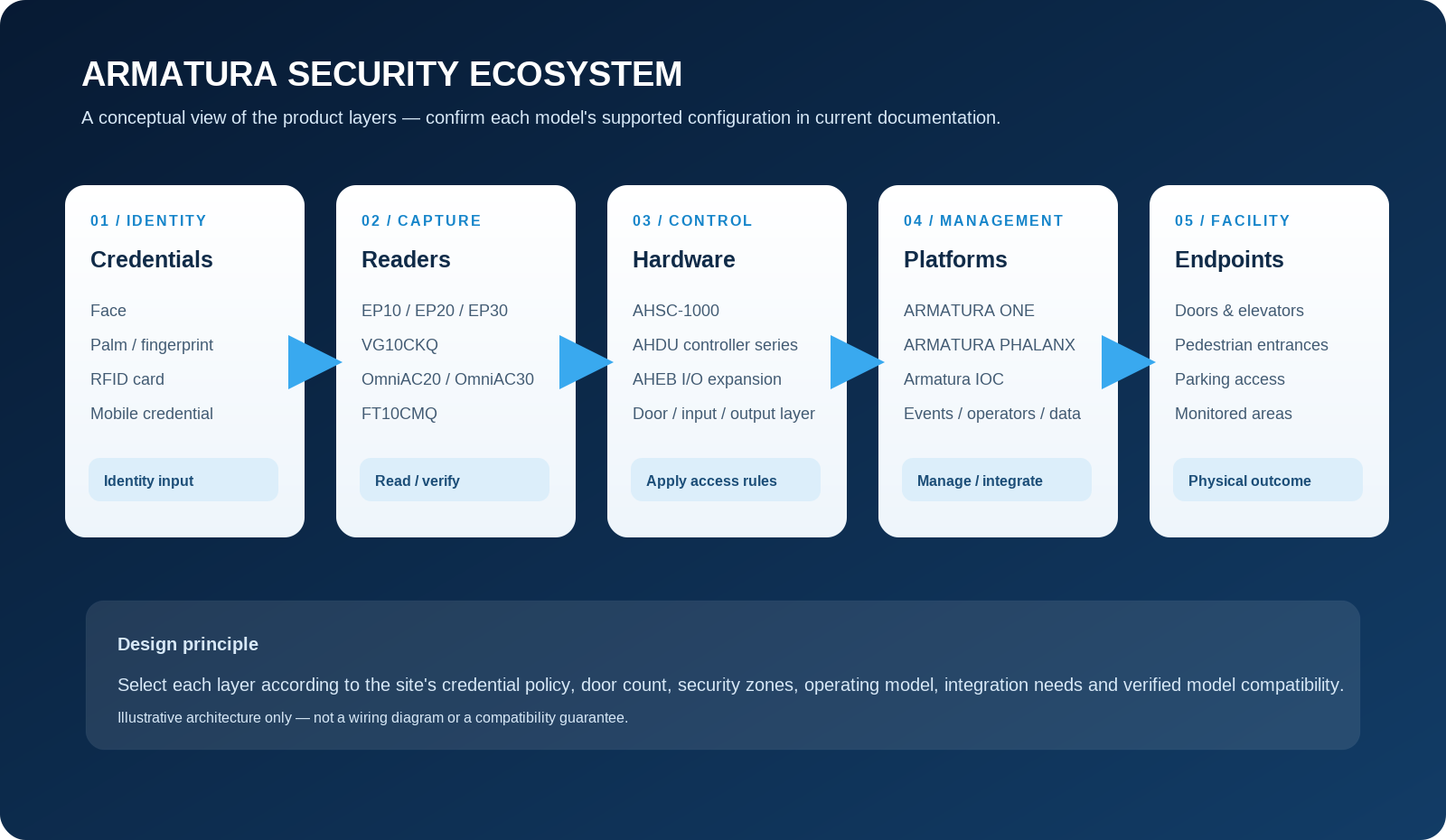
For system planning, divide the environment into five functional layers. This model helps a project team ask the right questions before selecting individual part numbers. The exact connection method, supported credentials and feature set must still be checked against each product's current datasheet and approved system design.
Identity and credentials
The user presents an approved credential, such as a biometric characteristic, card or supported mobile credential. Credential choices should reflect the site's security policy, privacy requirements and user experience.
Reader or terminal
A smart reader or standalone terminal captures the credential and participates in the verification process. ARMATURA lists EP-series readers, VG10CKQ and standalone OmniAC and FT10CMQ families.
Controller and I/O layer
Controllers and expansion boards form the hardware control layer for doors and related inputs or outputs. The catalogue lists AHSC-1000, AHDU-series controllers and AHEB expansion boards.
Management and integration software
Software provides the operator-facing layer for user administration, access policies, events and other supported modules. ARMATURA lists ARMATURA ONE, PHALANX and the IOC Platform.
Physical facility endpoints
Depending on the project, controlled endpoints can include doors, pedestrian entrance lanes, elevators or parking access equipment. Product-level compatibility must be confirmed before design approval.
ARMATURA controllers: AHSC-1000, AHDU and AHEB
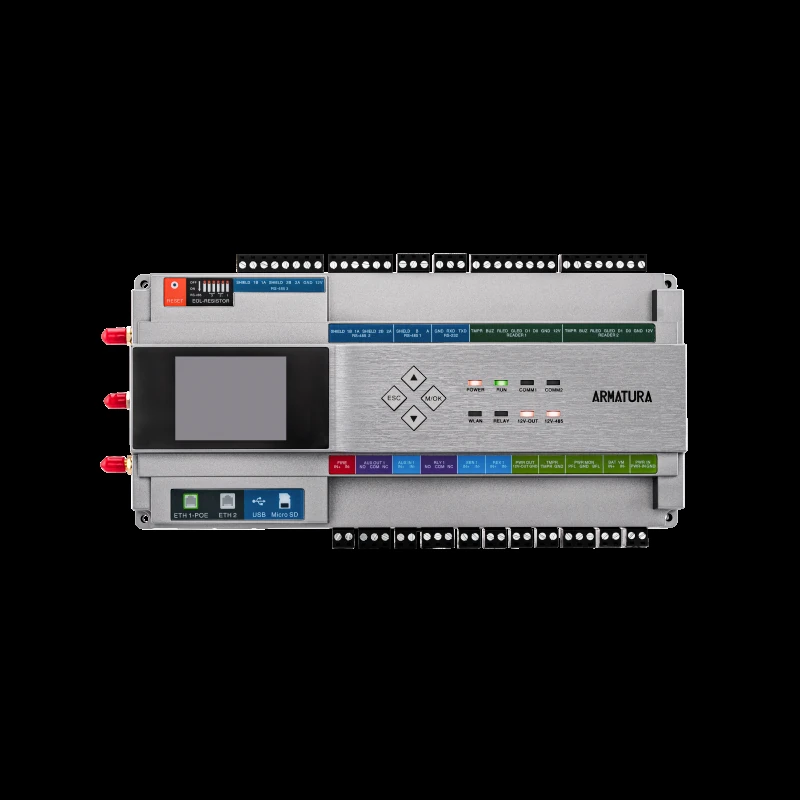
The controller layer is central to a managed access-control design. ARMATURA's catalogue identifies the AHSC-1000 as a primary controller, the AHDU-1160, AHDU-1260 and AHDU-1460 as secondary controllers, and the AHEB-1602, AHEB-0808 and AHEB-1616 as I/O expansion boards.
AHSC-1000
Listed in the manufacturer's primary-controller category. It is a key model to investigate when planning a controller-based ARMATURA access-control architecture.
View AHSC-1000 manufacturer page ↗How to assess the controller family
- Confirm the number and type of controlled doors or access points.
- Map supervised inputs, outputs, alarms and auxiliary equipment that the design requires.
- Check controller-to-controller communication and supported expansion combinations.
- Review power, enclosure, network resilience and installation conditions.
- Use the current model datasheet and wiring documentation rather than assuming that all boards are interchangeable.
The AHDU and AHEB model names are useful search terms in their own right. When researching an individual model, use the full part number and revision shown in the manufacturer's latest documentation.
Smart readers and standalone terminals
ARMATURA separates smart readers from standalone terminals in its published product structure. This distinction matters: a reader is generally considered as one element within a wider access-control design, while a standalone terminal may provide a more self-contained device role. The actual operating mode and interfaces are model-specific.
EP10, EP20 and EP30 Series
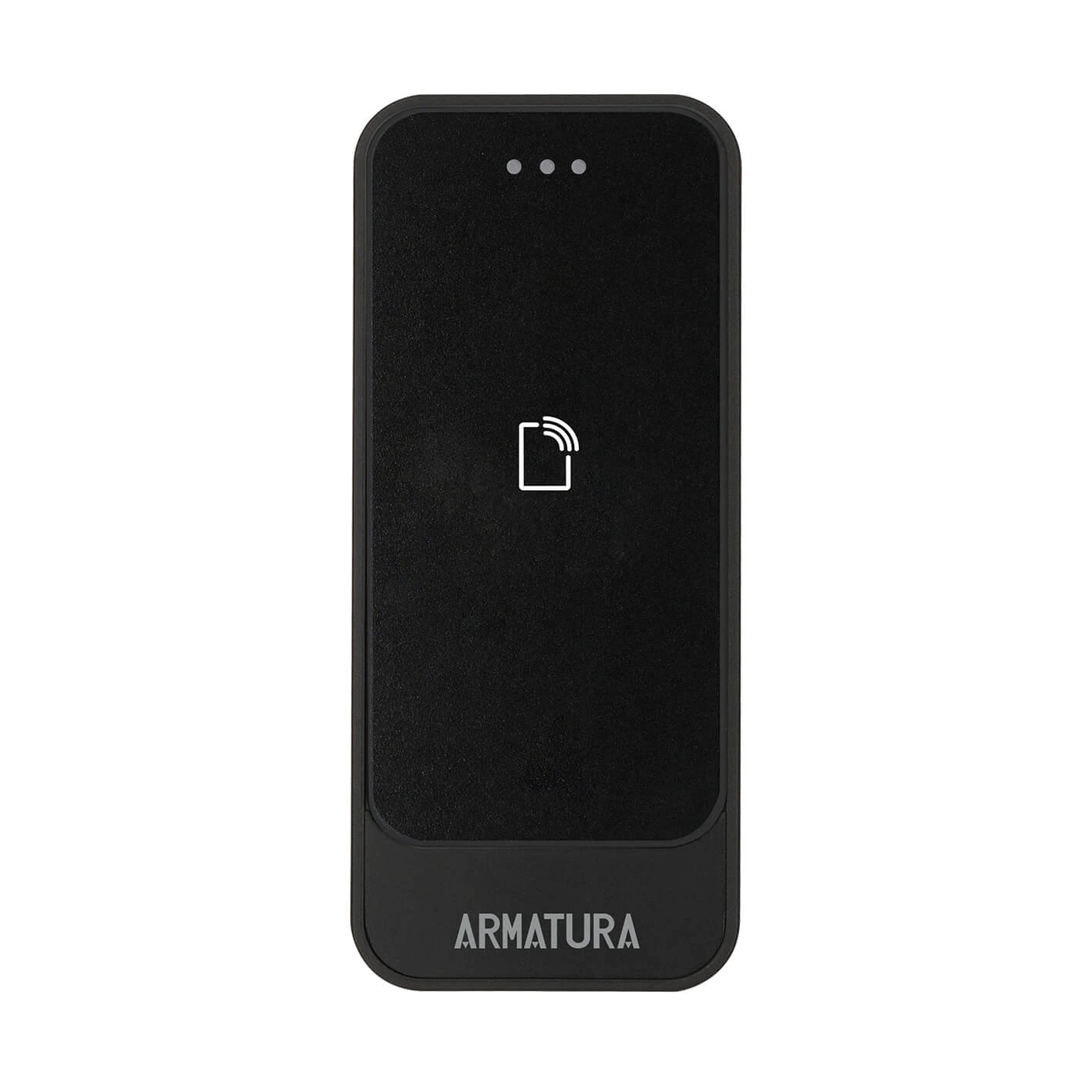
The manufacturer lists three EP smart-reader families, alongside VG10CKQ. Individual variants can differ in supported credentials, interfaces, environmental ratings and mechanical protection. Verify the exact suffix before specifying a device.
Explore EP10 Series ↗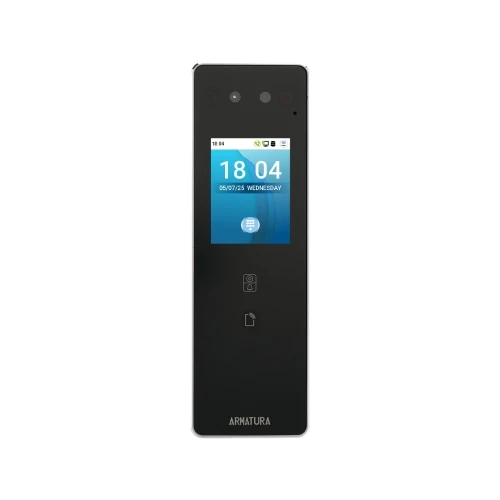
OmniAC20, OmniAC30 and FT10CMQ
These models appear in the standalone-terminal category of the ARMATURA catalogue. Compare their authentication methods, communication options, installation requirements and intended use before selecting a terminal.
See the current product catalogue ↗Reader selection tip: do not choose by model family name alone. Create a requirements list for credential type, indoor or outdoor placement, user throughput, mounting position, network design and integration with the controller and software layers.
ARMATURA software: ONE, PHALANX and IOC
Software is where hardware events and operating policies become manageable workflows. ARMATURA's official product catalogue lists three software offerings: Armatura-One Security Platform, ARMATURA PHALANX and Armatura IOC Platform. Their roles and licensing should be evaluated from the relevant current product documentation.
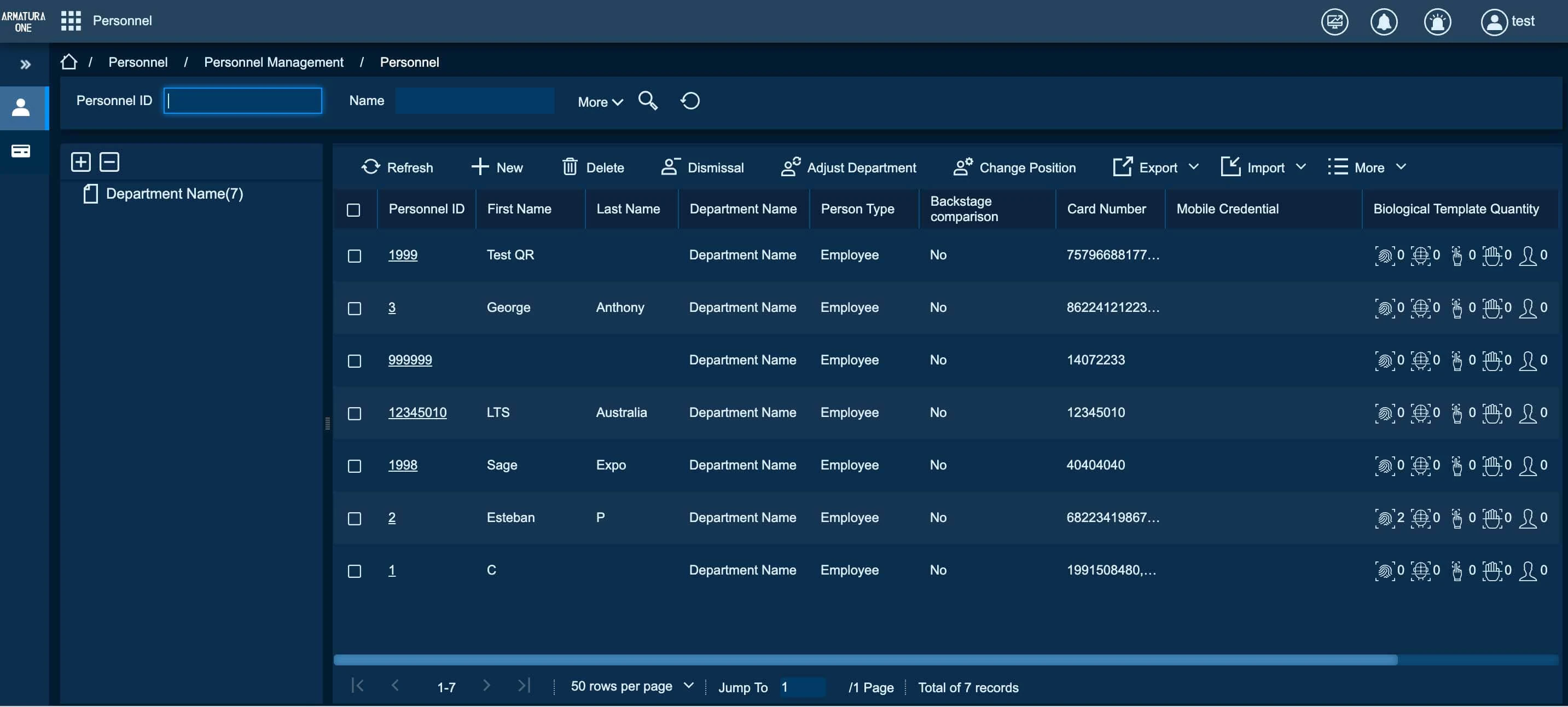
ARMATURA ONE
ARMATURA describes ONE as an all-in-one web-based security platform with modules covering personnel, access control, time and attendance, elevator, visitor, parking management, video management, office, entrance control, information screen, defence, data monitor, building automation and intrusion.
Read the ARMATURA ONE product page ↗ARMATURA PHALANX
Listed by ARMATURA in its on-premise software portfolio. Review the manufacturer's current protocol, integration and deployment documentation to understand the applicable role and supported interfaces.
Manufacturer reference ↗Armatura IOC Platform
The Intelligent Operations Centre is also listed as an ARMATURA software platform. Confirm its current scope, supported integrations and project prerequisites with the relevant official datasheet.
Manufacturer reference ↗For ARMATURA ONE in particular, the manufacturer publishes a module overview and platform parameters. A project team should verify the latest supported operating systems, database options, licensing and capacity limits before procurement; older online references may not reflect the current release.
Biometric integration: AMT-PIX-20, modules and SDKs
ARMATURA also lists biometric integration solutions intended for developers and equipment manufacturers. This category includes biometric modules and software development kits, which is different from selecting a complete access-control reader or terminal.
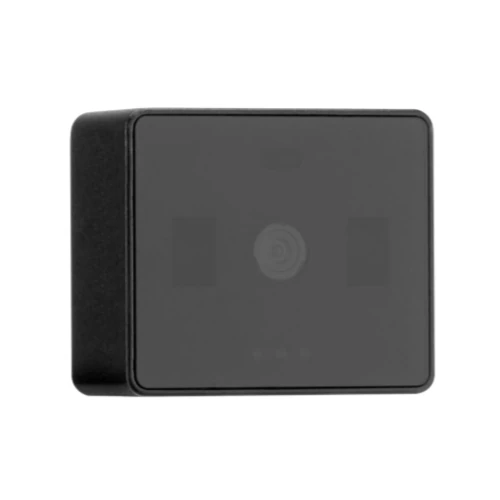
AMT-PIX-20
The official product page describes AMT-PIX-20 as a near-infrared palm-vein module with on-device processing and MultiBio SDK compatibility. Its published interfaces, supported operating systems and performance figures should be checked against the current datasheet revision.
Read the AMT-PIX-20 details ↗The manufacturer's catalogue also lists AMT-PVR-50, AMT-PVS-50, AMT-FAPVR-30, AMT-FAPVS-30, AMT-FAM-10, AMT-FAR-10, AMT-PVM-10, AMT-PVR-10 and AMT-FAS-35. FacePro Android & Windows SDK and Palm Mobile SDK are listed under biometric SDKs.
Entrance control: Avalon and Aegis product families
Entrance control addresses the physical movement of people through controlled lanes and entry points. ARMATURA lists the Avalon Series and Aegis-1000, Aegis-2000 and Aegis-3000 Series under Entrance Control.
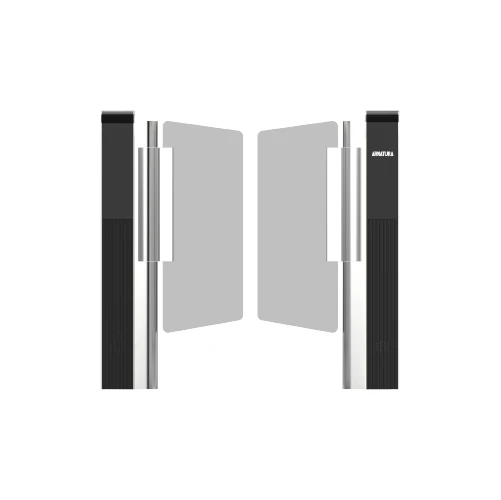
Avalon Series
A product family listed in ARMATURA's entrance-control range. When evaluating it, consider lane layout, throughput, accessibility, emergency egress, physical dimensions and the intended credential-verification arrangement.
View Avalon Series ↗The Aegis family is also listed in the manufacturer's entrance-control portfolio. The specific series and configuration should be matched to the site's security zoning, user flow, building code and emergency procedures. A turnstile is only one part of a complete entrance design; the reader, controller, software rules and life-safety interfaces also need to be coordinated.
Parking management: AMTL-UHF-10 and AMTL-RAD-10
Parking management appears as a separate category in ARMATURA's catalogue. The product list includes AMTL-UHF-10 and AMTL RAD-10. These names are useful starting points when researching ARMATURA vehicle-access and parking-related products.
For a parking project, document the vehicle identification method, lane geometry, read range requirements, mounting position, barrier interface, visitor workflow and integration with the wider security platform. Do not infer the exact reading distance, tag compatibility or lane capacity from a family name; verify the current product datasheet.
Where a project combines pedestrian access, parking and visitor processes, confirm whether the selected software platform supports the required operational workflow and whether the chosen hardware models are compatible in the proposed configuration.
ARMATURA product families: quick reference table
The following table consolidates the product families listed by ARMATURA. It is intended as a navigation aid for research, not as a substitute for technical specifications or a compatibility matrix.
| Product family | Examples listed by ARMATURA | Primary research question |
|---|---|---|
| Primary controller | AHSC-1000 | What is the required controller architecture and supported door configuration? |
| Secondary controllers | AHDU-1160, AHDU-1260, AHDU-1460 | Which controller variant and topology match the design? |
| I/O expansion | AHEB-1602, AHEB-0808, AHEB-1616 | Which input/output capacity and board combination are required? |
| Smart readers | EP10, EP20, EP30, VG10CKQ | Which credential methods and environmental ratings are needed? |
| Standalone terminals | OmniAC20, OmniAC30, FT10CMQ | Is a standalone terminal appropriate for the intended access point? |
| Software | ARMATURA ONE, PHALANX, IOC | Which management, integration and deployment model is required? |
| Entrance control | Avalon, Aegis-1000/2000/3000 | What lane type, throughput and safety requirements apply? |
| Parking management | AMTL-UHF-10, AMTL RAD-10 | What vehicle identification and lane integration method is required? |
| Biometric integration | AMT-PIX-20, AMT-PVR/PVS and other modules | Is the requirement a module, SDK or complete terminal? |
Where ARMATURA technologies may fit
These product families can be researched in the context of different facility types. The correct combination depends on the site's risk profile and operating model rather than on the building category alone.
These are planning examples, not claims that every ARMATURA model is suitable for every environment. Confirm certifications, environmental limits, accessibility requirements and software support for the exact configuration.
How to evaluate an ARMATURA solution before specification
A product list becomes useful only when it is connected to measurable project requirements. Use this sequence to turn a broad ARMATURA search into a shortlist that can be checked by an integrator or technical team.
- Define the access points. Count doors, pedestrian lanes, vehicle lanes, elevators and any other controlled endpoints.
- Set the credential policy. Decide whether the site needs cards, biometrics, mobile credentials or a combination, and define fallback procedures.
- Choose the control topology. Determine whether the project requires controller-based hardware, standalone terminals or a mixed architecture.
- Map software workflows. List the personnel, access, attendance, visitor, parking, video or other modules actually required.
- Check integration boundaries. Identify third-party systems, APIs, network zones, directory services and data ownership requirements.
- Validate product revisions. Obtain current datasheets, firmware notes, compatibility tables, wiring documents and compliance evidence.
- Plan commissioning and lifecycle. Include installation, testing, training, backup, maintenance, credential lifecycle and future expansion.
Frequently asked questions about ARMATURA
What is ARMATURA?
ARMATURA is a security technology brand with a published portfolio that includes access-control hardware, smart readers, standalone terminals, software platforms, biometric integration components, entrance-control systems and parking-management products.
What are the main ARMATURA access control products?
The manufacturer's catalogue lists AHSC-1000 as a primary controller, AHDU-series secondary controllers, AHEB I/O expansion boards, EP10/EP20/EP30 smart readers and OmniAC20/OmniAC30 standalone terminals, among other products.
What is the difference between AHSC-1000 and EP10C?
They are listed in different product categories: AHSC-1000 is a primary controller, while EP10C belongs to the EP10 smart-reader family. Their roles are different, so they should not be treated as interchangeable devices.
What is ARMATURA ONE?
ARMATURA describes ONE as an all-in-one web-based security platform with modules including personnel, access control, time and attendance, elevator, visitor, parking management, video management and other facility-related functions.
Does ARMATURA offer biometric integration modules?
Yes. The official catalogue lists biometric modules such as AMT-PIX-20, AMT-PVR-50, AMT-PVS-50 and other model families, as well as FacePro and Palm Mobile SDKs.
Which ARMATURA products are used for entrance control?
The official product structure lists the Avalon Series and Aegis-1000, Aegis-2000 and Aegis-3000 Series under Entrance Control. Check each series' current documentation for its exact configuration and application.
Does this article mean Endless Data is an ARMATURA distributor?
No. This is an independent informational article intended to help readers research the ARMATURA brand and product names. It does not state or imply that Endless Data is an ARMATURA distributor, dealer or commercial partner.
Official ARMATURA references and verification
For procurement, design or integration work, the manufacturer's current product pages and technical documents should take precedence over third-party summaries. The links below are starting points for checking product names, datasheets and revisions.
- ARMATURA – Product & Services catalogue (product-family index)
- AHSC-1000 primary controller
- EP10 smart reader series
- ARMATURA ONE Security Platform
- AMT-PIX-20 biometric module
- Avalon Series entrance control
- ARMATURA Download Center – Datasheets
ARMATURA and related product names are trademarks of their respective owners. This article is an independent educational overview and is not an official ARMATURA publication. Endless Data is not presented here as an ARMATURA distributor, dealer or commercial partner. Product visuals are provided for identification and illustration; product images, specifications, availability and compatibility should be verified against the relevant rights holder's current official documentation before commercial use or deployment.